English
How to Connect via USB for G1
Connect a G1 hub using an OTG adapter
To use GRAN EYE G1 with a USB cable, you need to prepare an OTG adapter separately.
1. Connect the OTG adapter to the port on your device.
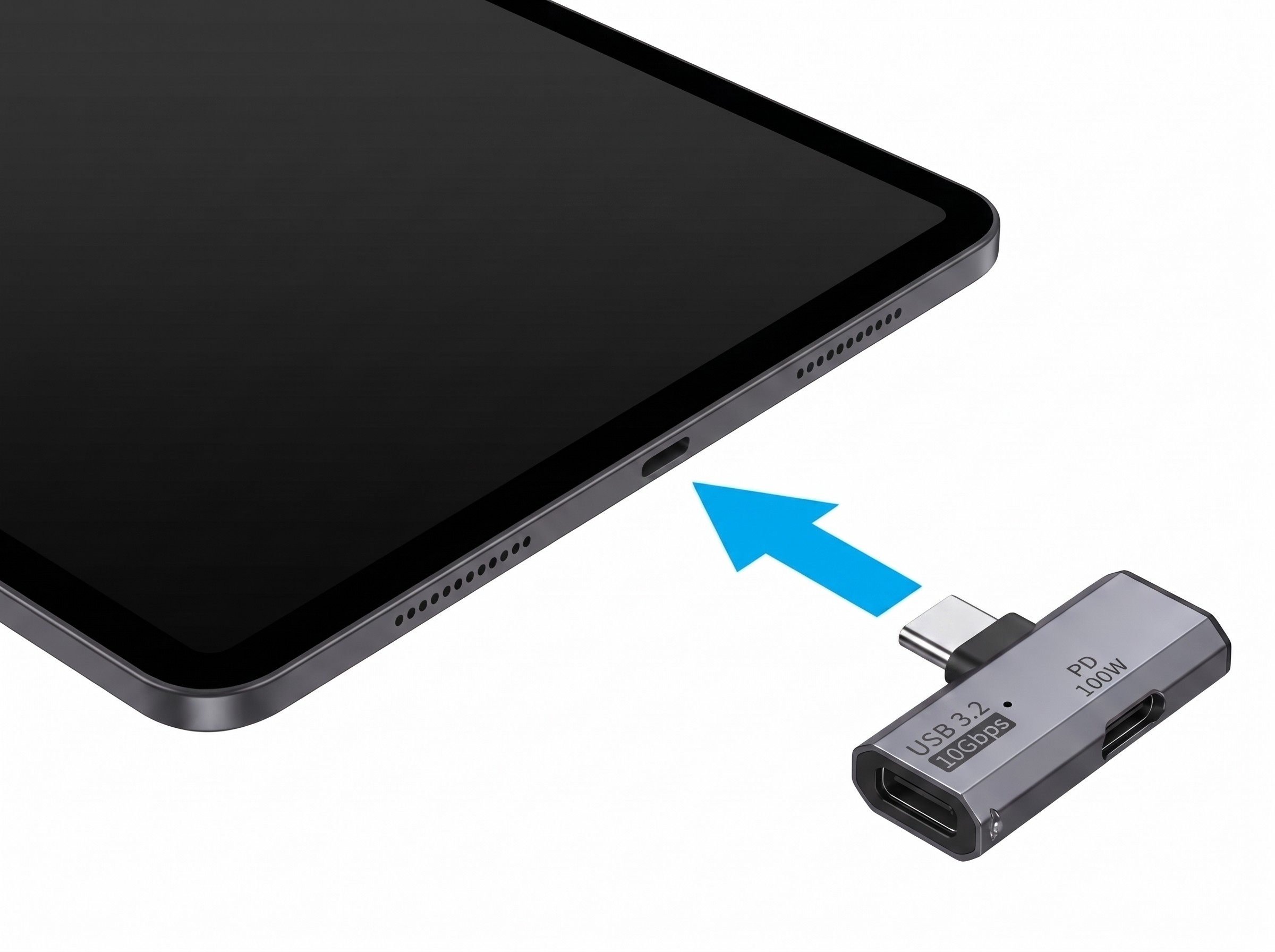
2. Connect the cable to the OTG adapter
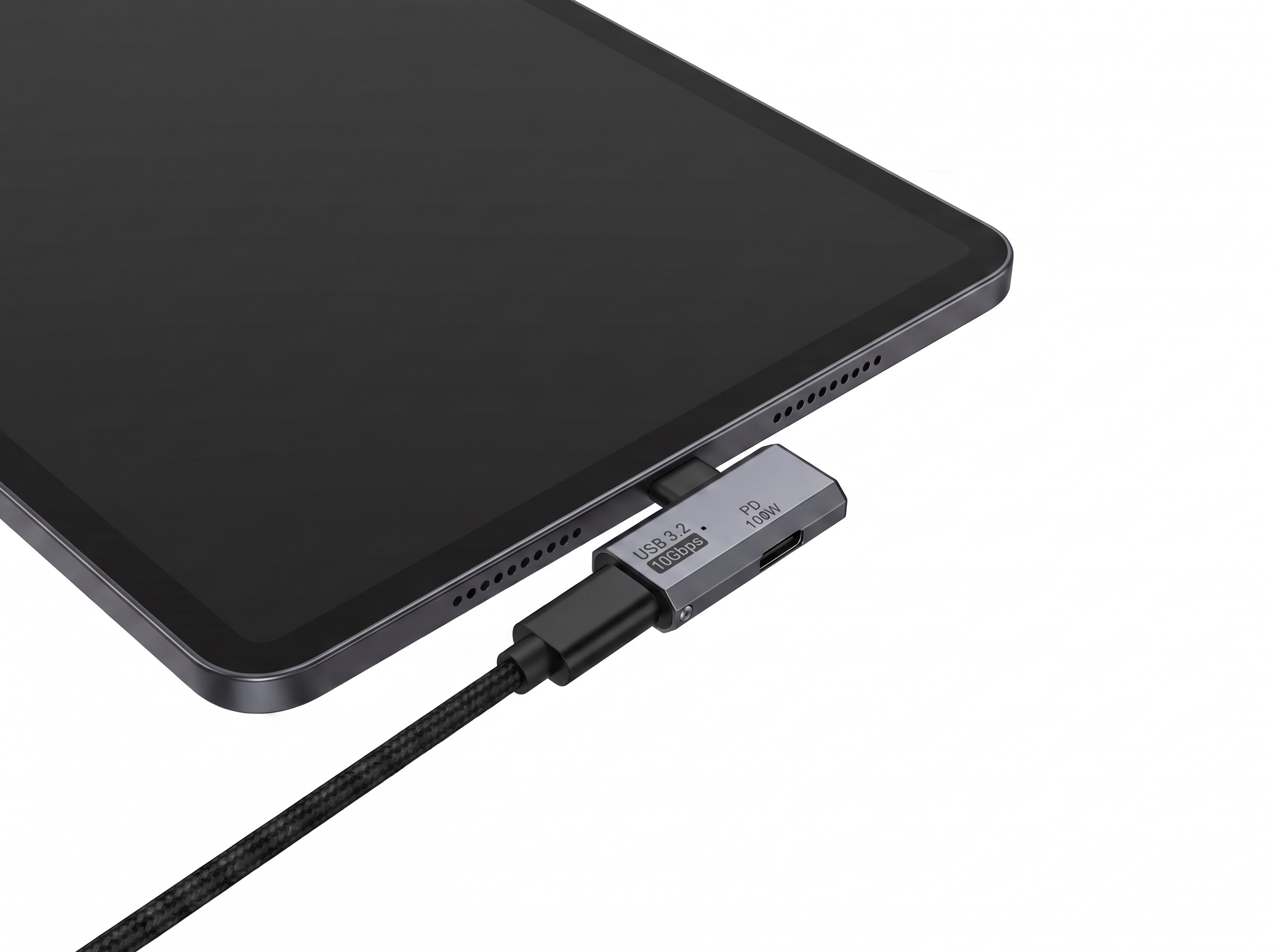
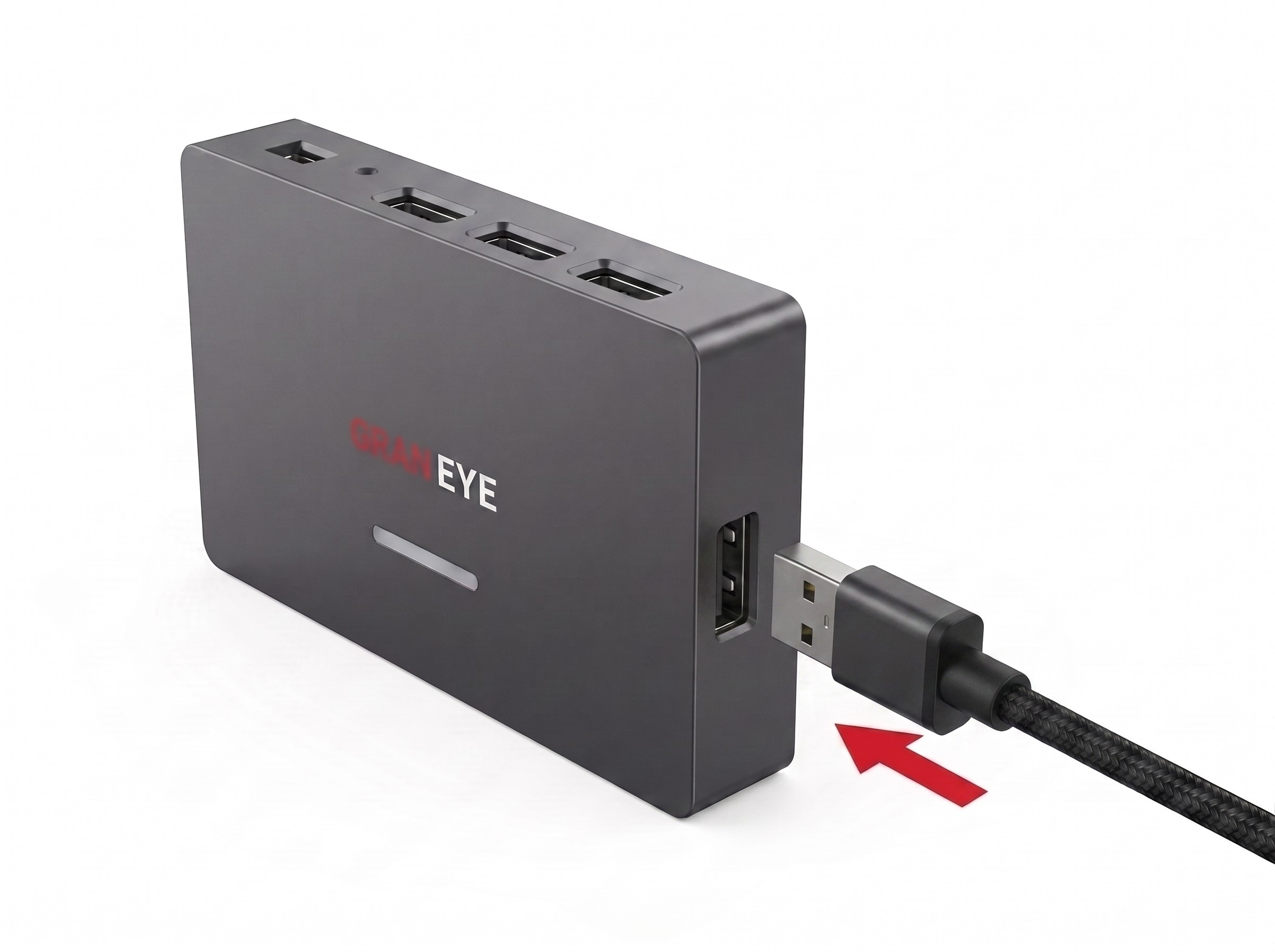
The hub port is Type-A. Use an A-A cable if your OTG adapter is Type-A, or an A-C cable if it is Type-C.
3. Connect the cable end to the hub
4. Allow all three permission requests.
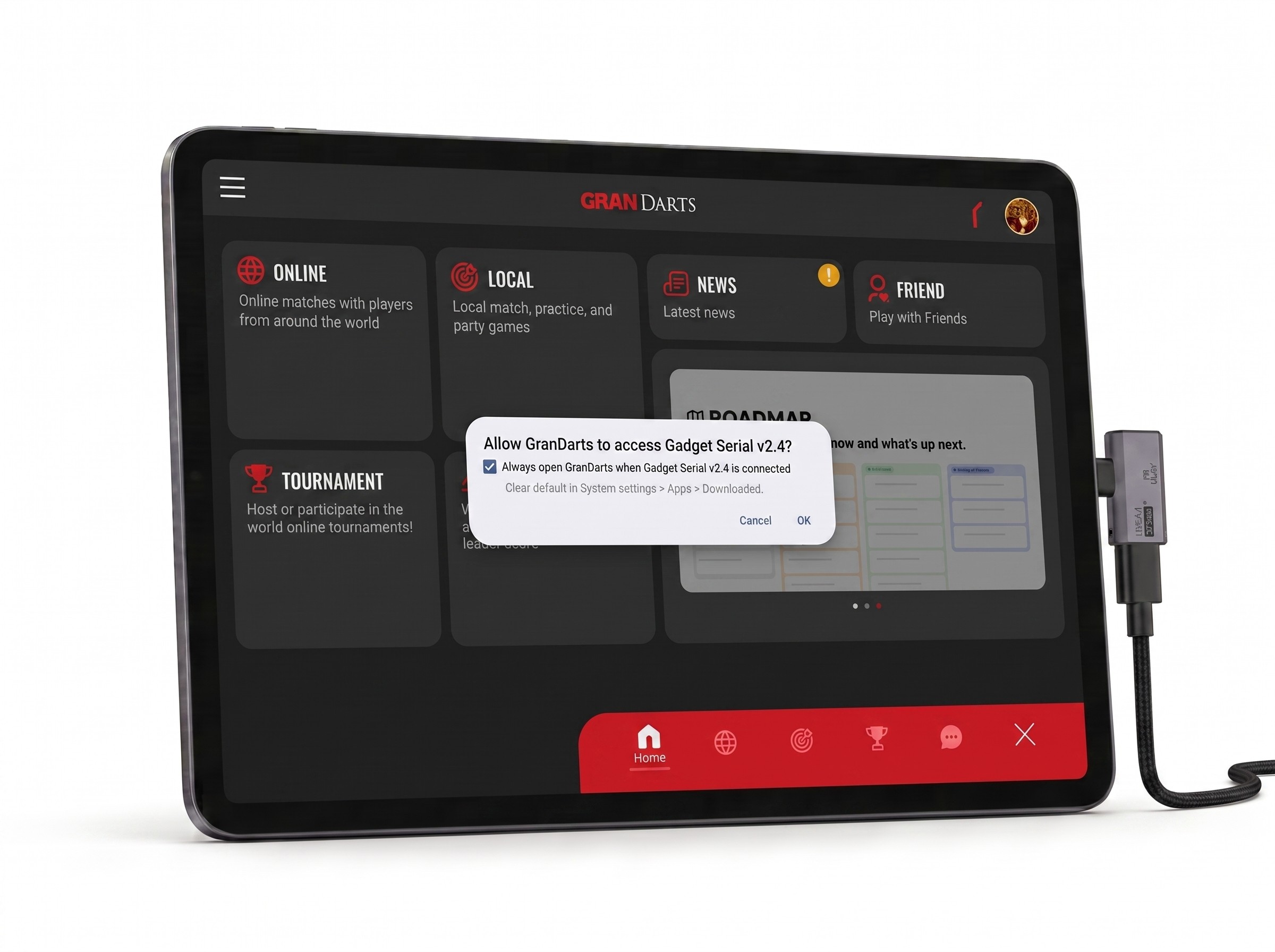
Select the checkbox before you tap OK. You won't be asked again next time.
For iOS device
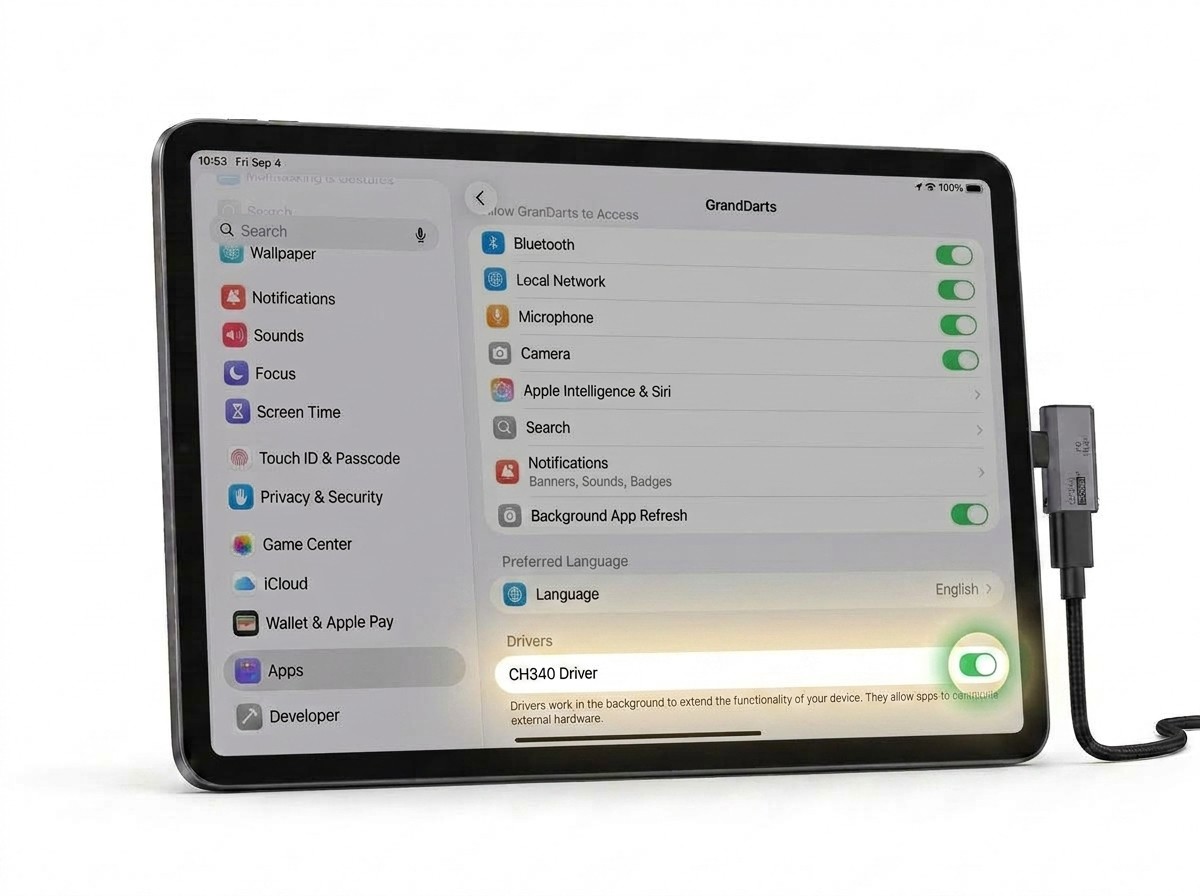
Before the app displays the three permission prompts, make sure CH340 Driver is turned ON.
